AI Automation for Small Businesses: 15 Processes You Can Automate in 2026
Managing finance, inventory, procurement, sales, human resources and production through separate applications can create data inconsistencies, operational delays and reporting challenges. As businesses expand, these disconnected processes make it difficult to maintain control over resources, monitor performance and coordinate activities across departments.
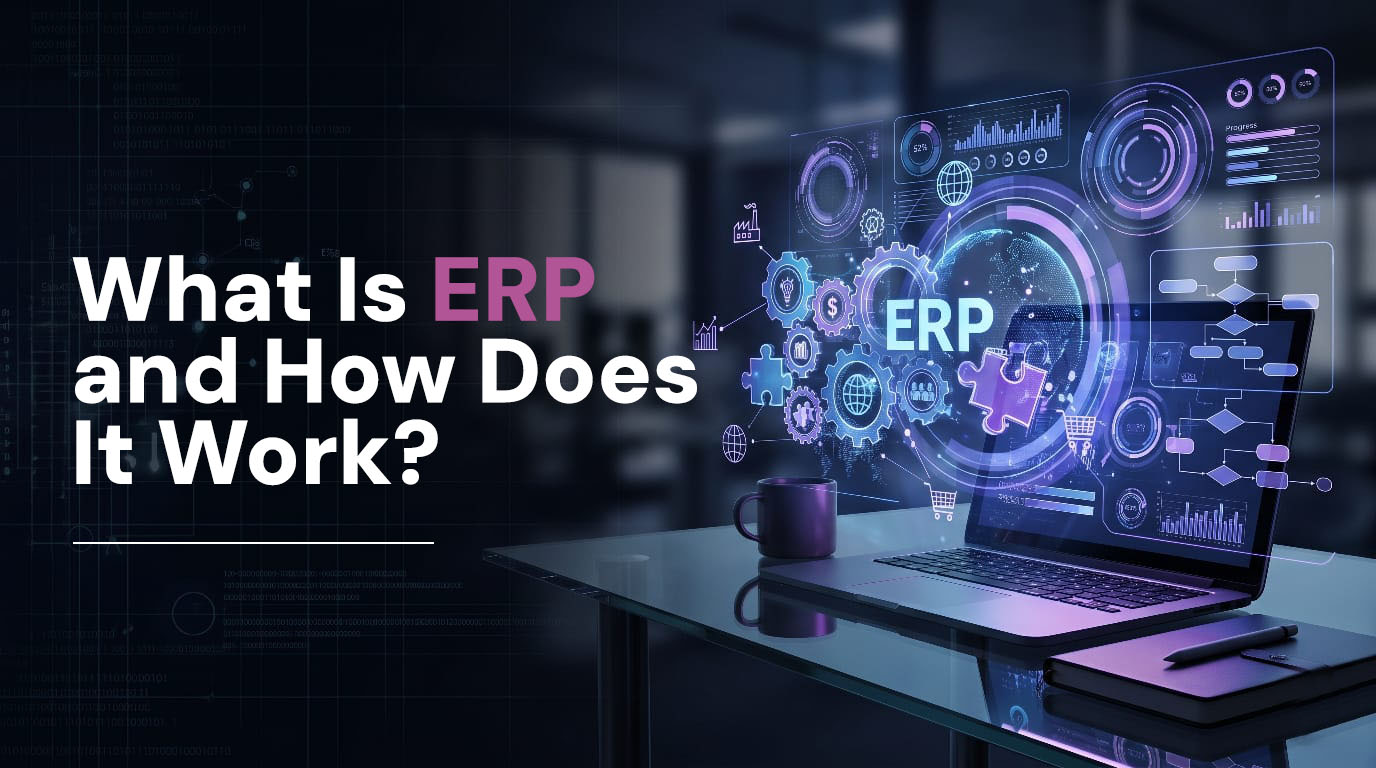
This is where ERP modules play an important role. An Enterprise Resource Planning (ERP) system brings different business functions together through interconnected modules that share a centralised database. Each module manages a specific operational area while exchanging information with other departments, creating a unified business management environment.
MetaLogic Digital, a Marktech Company, helps businesses streamline operations through ERP implementation, system integration, and business automation. With capabilities across SAP Business One on HANA, Odoo and connected enterprise applications, MetaLogic Digital helps organisations align ERP functions with their operational requirements and long-term business objectives.
But what are the different ERP modules, how do they function, and which ones does a business actually need? This complete guide to ERP modules explores their types, technical features, business applications, benefits and integration capabilities to help you understand how the right ERP software can improve operational efficiency.
What Are ERP Modules?
ERP modules are distinct functional parts of an ERP system created to oversee specific business processes. Each module manages a certain department or operational task while exchanging pertinent information with other modules.
For example, the purchasing module manages the purchase requisitions and vendor orders, and the inventory module monitors receipt of raw materials. The moment materials are received, the finance module can automatically generate the purchase transaction.
Instead of operating as independent applications, these modules function within a connected ERP architecture.
How ERP Modules Work
Most modern ERP platforms use a shared database and interconnected application services to manage business information.
A typical ERP architecture includes:
- Centralised Database: Stores business records, transactions, master data and operational information.
- Application Layer: Processes business rules, workflows, transactions and module-specific functions.
- Functional Modules: Manage finance, inventory, procurement, sales, production, HR and other business processes.
- Integration Layer: Connects ERP modules with external applications through APIs, middleware and integration services.
- Reporting Layer: Converts transactional data into dashboards, analytics and management reports.
- Security Layer: Controls user access through authentication, permissions, role-based access and audit trails.
This architecture allows different departments to work with consistent business information while maintaining appropriate access controls.
Also Read: What Is ERP (Enterprise Resource Planning) and How Does It Work?
What Are the Different ERP Modules?
ERP platforms offer multiple functional modules depending on business size, industry and operational complexity. Some modules are essential for almost every organisation, while others support specialised business requirements.
Here are the main modules of an ERP system and their technical capabilities.
1. Finance and Accounting Module
The finance and accounting module manages an organisation’s financial transactions, accounting records and financial reporting.
It connects revenue, expenses, purchases, payments, inventory valuation and other business transactions with the general ledger.
Key Features:
- General ledger management.
- Accounts payable and receivable.
- Bank reconciliation.
- Cash flow management.
- Budgeting and financial planning.
- Tax calculation and reporting.
- Fixed asset management.
- Financial statements and audit trails.
How It Works:
When a sales invoice is generated, the ERP system records the corresponding receivable and revenue entries. Similarly, supplier invoices update accounts payable and relevant expense or inventory accounts.
This integration reduces duplicate data entry and helps maintain accurate financial records.
Business Benefits:
- Improves financial visibility.
- Simplifies accounting workflows.
- Supports faster reconciliation.
- Improves budget monitoring.
- Strengthens financial control and reporting.
For Indian businesses, finance modules should also be evaluated for GST accounting, e-invoicing, TDS and applicable statutory requirements.
2. Inventory Management Module
The inventory management module tracks the movement, availability and valuation of materials and products across warehouses and business locations.
It connects purchasing, sales, production and warehouse operations to provide accurate stock information.
Key Features:
- Real-time stock tracking.
- Multi-warehouse management.
- Batch and serial number tracking.
- Barcode and QR code integration.
- Stock transfers and adjustments.
- Reorder level configuration.
- Inventory valuation.
- Goods receipt and dispatch management.
How It Works:
When a purchase order is received, the inventory module updates stock quantities. When a sales order is processed, available inventory is allocated or reserved according to the configured workflow.
Manufacturing operations can also consume raw materials and update the quantities of work-in-progress and finished goods.
Business Benefits:
- Reduces stock discrepancies.
- Improves inventory accuracy.
- Minimises overstocking and stockouts.
- Improves warehouse visibility.
- Supports better replenishment planning.
MetaLogic Digital helps businesses connect inventory workflows with ERP platforms such as SAP Business One on HANA and Odoo to support integrated stock and warehouse management.
3. Procurement and Purchase Management Module
The procurement module manages the complete purchasing lifecycle, from identifying material requirements to supplier selection, purchase orders and invoice processing.
It connects purchasing activities with inventory, production planning and financial management.
Key Features:
- Purchase requisition management.
- Supplier and vendor records.
- Request for Quotation (RFQ).
- Vendor quotation comparison.
- Purchase order generation.
- Approval workflows.
- Goods receipt processing.
- Purchase invoice matching.
- Supplier performance tracking.
How It Works:
When inventory reaches a predefined reorder level or production planning identifies a material shortage, the ERP system can generate a purchase requirement.
The procurement team reviews supplier quotations, obtains approvals and creates purchase orders. Once materials arrive, goods receipt transactions update inventory and initiate the relevant financial processes.
Business Benefits:
- Improves purchasing control.
- Reduces manual procurement activities.
- Supports supplier evaluation.
- Improves purchase order visibility.
- Helps manage material availability and costs.
Also Read: Significance of ERP in the Garment Manufacturing Process
4. Sales and Distribution Module
The sales and distribution module manages customer orders, pricing, delivery coordination, invoicing and sales performance.
It connects customer-facing operations with inventory, procurement, warehouse and financial modules.
Key Features:
- Customer master management.
- Sales quotation generation.
- Sales order processing.
- Pricing and discount management.
- Delivery and dispatch coordination.
- Invoice generation.
- Returns and credit note management.
- Sales performance reporting.
How It Works:
When a customer confirms an order, the ERP system checks product availability, applies pricing rules and records the sales transaction.
The warehouse receives the required dispatch information, while the finance module processes invoicing and accounts receivable.
Advantages for Business:
- Order processing made easier.
- Facilitates order fulfilment.
- Offers sales visibility.
- Eliminates manual coordination.
- Links customer orders to accounting information.
5. Manufacturing and Production Management Module
The manufacturing module manages production planning, material requirements, work orders and factory operations.
It is particularly important for organisations that manufacture products using raw materials, components, machinery, and labour.
Key Features:
- Bill of Materials (BOM) management.
- Material Requirements Planning (MRP).
- Production order management.
- Work centre configuration.
- Production scheduling.
- Routing and operations management.
- Work-in-progress tracking.
- Production costing.
- Quality inspection integration.
How It Works:
The manufacturing module uses production demand, BOM structures, inventory availability and resource requirements to plan production activities.
For instance, when creating a manufacturing order, the ERP system will determine the amount of raw materials needed and check their availability in stock.
With production continuing, data on material usage and the quantity of finished products are entered into the system, linking manufacturing processes to inventory and accounting records.
Business Benefits:
- Improves production planning.
- Reduces material shortages.
- Provides production visibility.
- Supports resource utilisation.
- Improves manufacturing cost control.
MetaLogic Digital supports manufacturing-focused ERP implementations using SAP Business One on HANA and Odoo, helping businesses connect production, inventory, and procurement workflows.
6.Human Resource Management (HRM) Module
The HRM module manages employee data and HR functions throughout the employee lifecycle.
It provides centralised HR information and links HR administration to payroll and organisational reporting.
Important Components:
- Management of employees’ data.
- Recruitment and induction.
- Tracking of attendance.
- Leaves management.
- Payroll processing.
- Performance management.
- Training & development data.
How It Works:
Employee attendance, approved leave and payroll information are processed according to configured business rules.
Payroll calculations can use attendance records, salary structures, allowances and deductions. Approved payroll transactions can then be integrated with the finance module for accounting entries.
Advantages for Business:
Less paperwork.
More efficient recording of staff information.
Less complex payroll.
Helps to define work types and volume.
Improves HR reporting.
Also Read: Article Schema: Types, Best Practices, and How to Use It
7. Customer Relationship Management (CRM) Module
The CRM module manages customer interactions, sales opportunities and relationship-related information.
It helps organisations track prospects, manage sales pipelines and coordinate customer communication.
Features:
- Lead Management
- Opportunity Management
- Sales Pipeline Management
- Interaction History
- Scheduling of Sales Activities
- Quotation Management
- Customer Segmentation
- Sales Performance Analytics
How It Works:
When a new lead enters the system, the CRM module records customer details and tracks the opportunity through different sales stages.
Once the opportunity converts into a customer order, relevant information can flow into the sales, inventory and finance modules.
Benefits for Business:
- Increases the visibility of leads.
- Helps in sales forecasting.
- Enhances customer management.
- Eliminates fragmentation of customer information.
- Helps coordinate sales teams.
8. Warehouse Management System (WMS) Module
The warehouse management module controls warehouse-level activities, including receiving, storage, picking, packing and dispatch.
While inventory management focuses on stock quantities and valuation, WMS provides deeper control over the physical movement and storage of materials.
Key Features:
- Location of warehouse.
- Handle and rack control.
- Receipt and put-away of goods.
- Fulfilment processes.
- Transfer of stocks.
- Scan barcodes.
- Track by batch and serial.
- Things to watch out for: drivers managing roadblocks.
How It Works: Upon receipt of items, the warehouse module can help with inspection and storage location.
Picking instructions are generated by the system during order fulfilment, based on the location of the goods and the rules configured for the warehouse. When goods are packed and shipped, the stock movements are transferred to the ERP system.
Business Benefits:
- Improves warehouse accuracy.
- Reduces picking errors.
- Streamlines material movement.
- Improves order fulfilment.
- Provides better stock traceability.
9. Project Management Module
The project management module helps businesses plan, execute, monitor and control project-related activities.
It connects project schedules, resources, budgets, expenses and billing information.
Key Features:
- Project planning and scheduling.
- Task and milestone tracking.
- Resource allocation.
- Budget management.
- Project costing.
- Time and expense tracking.
- Progress reporting.
- Project billing.
How It Works:
A project is created with defined tasks, timelines, resources and budgets. Employees record their activities and expenses against the project.
The ERP system consolidates these records to track project progress, costs and profitability.
Business Benefits:
- Improves project visibility.
- Supports resource allocation.
- Tracks budget utilisation.
- Improves cost monitoring.
- Helps evaluate project profitability.
Also Read: How To Rank Your Website On AI Platforms Like ChatGPT And Gemini
10. Supply Chain Management (SCM) Module
The supply chain management module coordinates the movement of materials, products and information across suppliers, manufacturing facilities, warehouses and distribution channels.
It connects procurement, inventory, production and logistics activities.
Key Features:
- Demand forecasting.
- Supply planning.
- Supplier coordination.
- Procurement planning.
- Logistics management.
- Order fulfilment tracking.
- Distribution planning.
- Supply chain performance analytics.
How It Works:
The SCM module uses demand information, stock availability, supplier lead times and production requirements to coordinate supply activities.
For example, an increase in customer demand can influence production planning, procurement requirements and distribution schedules.
Business Benefits:
- Improves supply chain visibility.
- Supports demand planning.
- Reduces supply disruptions.
- Improves supplier coordination.
- Helps optimise inventory levels.
11. Quality Management Module
The quality management module helps businesses monitor product and process quality across procurement, manufacturing and delivery operations.
Brings guidelines for structured inspection and feedback on quality performance.
Key Features:
- Material entering.
- Quality inspections during the manufacturing process.
- Inspection of finished products.
- Standards & Specifications.
- Non-conformance tracking.
- Corrective and preventive actions.
- Inspection documentation.
- Quality performance reporting.
How It Works:
When materials are received or products move through manufacturing, the system can trigger predefined quality inspections.
Inspection results are connected to the specific material, production order or batch. Any failing inspections can trigger corrective action requests or material holds.
Business Benefits:
- Boosts quality uniformity.
- Supports traceability.
- Reduces production defects.
- Strengthens quality control.
- Helps maintain inspection records.
12. Business Intelligence and Reporting Module
The business intelligence module converts ERP transaction data into reports, dashboards and performance insights.
It helps decision-makers see how various parts of a business are doing.
Key Features:
- Customisable dashboards.
- Financial performance reports.
- Inventory analytics.
- Production performance monitoring.
- Sales trend analysis.
- Procurement reporting.
- KPI tracking.
- Data visualisation.
How It Works:
ERP modules generate transactional information that can be consolidated into analytical reports.
For more advanced reporting, ERP data can be integrated with business intelligence platforms such as Microsoft Power BI or Tableau.
Business Benefits:
- Improves decision-making.
- Provides cross-department visibility.
- Supports KPI monitoring.
- Identifies operational trends.
- Improves management reporting.
13. Asset and Maintenance Management Module
The asset and maintenance module manages business equipment, machinery, infrastructure and maintenance activities.
It is especially relevant for manufacturing plants, industrial businesses and organisations operating equipment-intensive facilities.
Key Features:
- Fixed assets journals.
- Tracking assets throughout their lifecycle.
- Scheduling for maintenance.
- Failures and repairs.
- Work orders for maintenance.
- Parts stock management.
- Depreciation rate tracking.
- Monthly expenditure of maintenance.
How It Works:
Assets are registered with details such as identification numbers, locations, acquisition values and maintenance schedules.
The system can generate maintenance tasks based on predefined intervals or operational requirements. Maintenance expenses and spare parts consumption can be linked to the inventory and financial modules.
Business Benefits:
- Improves asset visibility.
- Supports preventive maintenance.
- Reduces unplanned downtime.
- Improves maintenance planning.
- Helps monitor asset-related expenses.
Also Read: Best Digital Marketing Agencies in Bangalore
Main ERP Modules: Comparison Table
The following table summarises the primary functions of different ERP components and the departments they support.
ERP Module | Primary Function | Department |
Finance and Accounting | Financial transactions and reporting | Finance |
Inventory Management | Stock tracking and valuation | Inventory |
Procurement | Purchasing and supplier management | Purchase |
Sales and Distribution | Customer orders and invoicing | Sales |
Manufacturing | Production planning and execution | Production |
HRM | Employee and workforce management | Human Resources |
CRM | Customer and lead management | Sales |
WMS | Warehouse operations | Warehouse |
Project Management | Project planning and costing | Project Teams |
SCM | Supply chain coordination | Operations |
Quality Management | Inspection and quality control | Quality |
Business Intelligence | Analytics and reporting | Management |
Asset Management | Equipment and maintenance | Maintenance |
How Different ERP Modules Work Together
The real value of an ERP system comes from the integration of its individual modules. Instead of processing business activities independently, connected modules exchange information as transactions move across departments.
Suppose a production company obtains an order from a client for a completed product.
Step 1: CRM and Sales
CRM module handles information for customers and sales leads. After the order is confirmed, the sales module generates a sales order.
Step 2: Inventory Management
The inventory module checks whether sufficient raw materials and finished goods are available to fulfil the order.
Step 3: Manufacturing and MRP
If additional production is required, the manufacturing module evaluates the BOM, calculates material requirements and generates production orders.
Step 4: Procurement
In the absence of raw materials, the purchasing module raises purchase requests and places supplier orders.
Step 5: Warehouse Management
The warehouse module is responsible for receiving materials, storing, picking and shipping finished products.
Step 6: Quality Management
Quality checks are performed at relevant stages to verify material and product specifications.
Step 7: Finance and Accounting
The finance module records purchase invoices, material costs, production expenses, sales invoices and customer payments.
Step 8: Business Intelligence
The reporting module consolidates operational and financial data to provide insights into production performance, inventory levels, revenue and profitability.
This connected workflow demonstrates how different ERP modules work together to support the complete order-to-delivery process.
Key Features of an Integrated ERP System
Key Features of an Integrated ERP System
Beyond individual module performance, a contemporary ERP platform must provide a robust technological system that supports integrated commercial activities.
- Centralised Database Architecture
Business records can be kept consistently between departments with a shared database. It prevents duplicate data entry and allows restricted access to shared data.
- Role-Based Access Control
Benefits of using Role-Based Permissions: Appropriate employee permissions only allow employees to see the transactions and information needed for their jobs.
- Workflow Automation
Automated approvals, workflow alerts, purchase requests, and transaction alerts minimise manual work.
- API and Third-Party Integrations
An ERP system should provide proper integration protocols to connect with other business apps, such as CRM, e-commerce, banking, payment gateways, and logistics.
- Real-Time Reporting
Dashboards and analytical tools provide insights into an organisation’s operations and financials using data from various ERP modules.
- Scalability and Customisation
A modular architecture enables entities to add functionality as their business needs change (again, within the limits of the platform and the design of the implementation).
7. Data Security and Audit Trails
Authentication, access controls, encryption, backup policies and transaction logs help protect business information and maintain accountability.
Benefits of ERP Modules for Businesses
Selecting the correct ERP modules will boost operational efficiency by integrating business operations and eliminating fragmentation between processes.
1. Improved Operational Efficiency
Automated workflows can eliminate monotonous administrative tasks and enable teams to track their work through interlinked operations.
2. Centralised Business Information
ERP modules share consistent data, providing a unified view of business transactions and operational activities.
3. Better Inventory and Resource Control
Integrated inventory, procurement and production modules help businesses monitor material availability, purchasing requirements and resource utilisation.
4.Accurate Financial Management
Seamless accounting procedures offer a clear picture of revenue, costs, cash flow and overall business expenses.
5.Faster Business Decisions
Integrated reporting gives you access to operational and financial data, helping you make better decisions.
6.Improved Customer Service
Integrated CRM, sales, inventory, and distribution modules improve order visibility and customer service management.
7.Improved Compliance and Traceability
Centralised records, audit trails, and processes are used by businesses to retain transaction records and associated documentation.
8. Business Scalability
Organisations can expand ERP capabilities as they introduce new departments, warehouses, products, business locations and operational processes.
How to Choose the Right ERP Modules for Your Business
Not every organisation needs every ERP module. The right configuration depends on business operations, industry, company size and long-term growth plans.
Here are the important factors to evaluate.
1. Identify Your Business Processes
Map the existing workflows across finance, sales, procurement, inventory, production and human resources.
Identify manual activities, disconnected applications and operational challenges that an ERP system should address.
2.Prioritise Essential Modules
Begin with modules that help build your business.
For example:
- Production: Production, Bill of Material, MRP stock, and purchase.
- Retail: Inventory, sales, purchasing, finance, and POS.
- Distribution: Inventory, warehouse, procurement and sales.
- Professional Services: Project management, CRM, finance and HR.
- E-commerce: Sales, inventory, finance, CRM and order management.
3.Evaluate Integration Requirements
Assess if the ERP software can integrate with your current applications via supported connectors, middleware, or APIs.
Assess the data synchronisation, integration, and support capabilities with your existing technology infrastructure.
4. Consider Customisation and Scalability
Select an ERP system that supports essential business workflows without excessive custom development.
Evaluate how easily additional modules, users, locations and integrations can be introduced as the organisation grows.
5.Evaluate Deployment and Security
Make comparisons among cloud, on-premises and hybrid deployment options.
Examine the database architecture, user access, data encryption, backup policies, disaster recovery and availability of systems.
6. Evaluate Implementation and Support
An ERP implementation partner should understand your business processes and have the technical capability to configure, integrate, test and maintain the system.
Consider implementation methodology, data migration, employee training, documentation and post-deployment support.
MetaLogic Digital helps businesses evaluate ERP requirements and implement connected technology solutions through platforms such as SAP Business One on HANA and Odoo.
Why Choose MetaLogic Digital for ERP Implementation?
Selecting ERP software is only one part of digital transformation. Businesses also need a structured implementation approach that connects individual modules, aligns workflows and supports long-term operational requirements.
MetaLogic Digital – A Marktech Company helps organisations strengthen their business technology infrastructure through ERP implementation, system integration and process automation.
Its capabilities cover:
- SAP Business One HANA
ERP functionalities for managing finance, purchasing, sales, inventory, manufacturing, and operational reporting.
- Odoo ERP Implementation
Modular ERP implementation including accounting, CRM, inventory, manufacturing, procurement, sales and business applications.
- Integration of Counting
Linking accounting processes to general business operations and systems based on integration needs.
- Inventory and Warehouse Management
Providing support for inventory control and warehousing activities.
- Manufacturing & Production Management
Linking production orders, bill of materials structure, material requirements, and manufacturing process.
- Sales and Distribution Management
Managing customer orders, purchasing, stock distribution, and distribution process.
- Business Process Automation
Automating repetitive business processes using workflow and application integration.
- Technical Support and Maintenance
Technical support for maintaining and upgrading ERP and other application needs.
By aligning ERP components with actual business workflows, MetaLogic Digital helps organisations build connected systems that support operational efficiency and business growth.
One Business. Connected Modules. Smarter Operations.
Explore ERP implementation solutions with MetaLogic Digital.
Conclusion
ERP modules form the operational foundation of an integrated business management system. From finance and inventory to manufacturing, procurement, HR and customer relationship management, each module supports a specific business function while contributing to a connected organisational workflow.
Understanding the different ERP modules, their technical capabilities and their integration requirements helps businesses select the right system for their operational needs.
However, successful ERP implementation requires more than activating individual modules. It involves analysing business processes, configuring workflows, integrating applications, migrating data and ensuring employees can use the system effectively.
MetaLogic Digital helps businesses connect these functions through SAP Business One on HANA, Odoo, Tally integration and enterprise application solutions.
With the right ERP architecture and implementation strategy, businesses can streamline operations, improve information visibility and create a scalable foundation for long-term growth.
Ready to connect your business operations? Get in touch with MetaLogic Digital to explore ERP solutions aligned with your requirements.
The main ERP modules include finance and accounting, inventory management, procurement, sales and distribution, manufacturing, human resource management, CRM, warehouse management, project management, supply chain management, quality management and business intelligence. The modules required depend on the organisation's operational structure and industry.
Finance, inventory, procurement and sales are fundamental modules for many businesses. Manufacturing companies may also require production planning, BOM and MRP, while service-based organisations may prioritise CRM and project management. MetaLogic Digital helps businesses identify suitable ERP modules based on their operational requirements.
ERP modules communicate through shared databases, application services and integration workflows. For example, a confirmed sales order can trigger inventory allocation, production planning, procurement requirements, warehouse activities and financial transactions. This allows departments to work with connected and consistent business information.
MetaLogic Digital supports ERP implementation through SAP Business One on HANA, Odoo and connected business applications. Its capabilities include finance, inventory, procurement, manufacturing, sales, warehouse management, system integration and business process automation. It helps organisations configure ERP capabilities to align with their business processes and technology requirements.